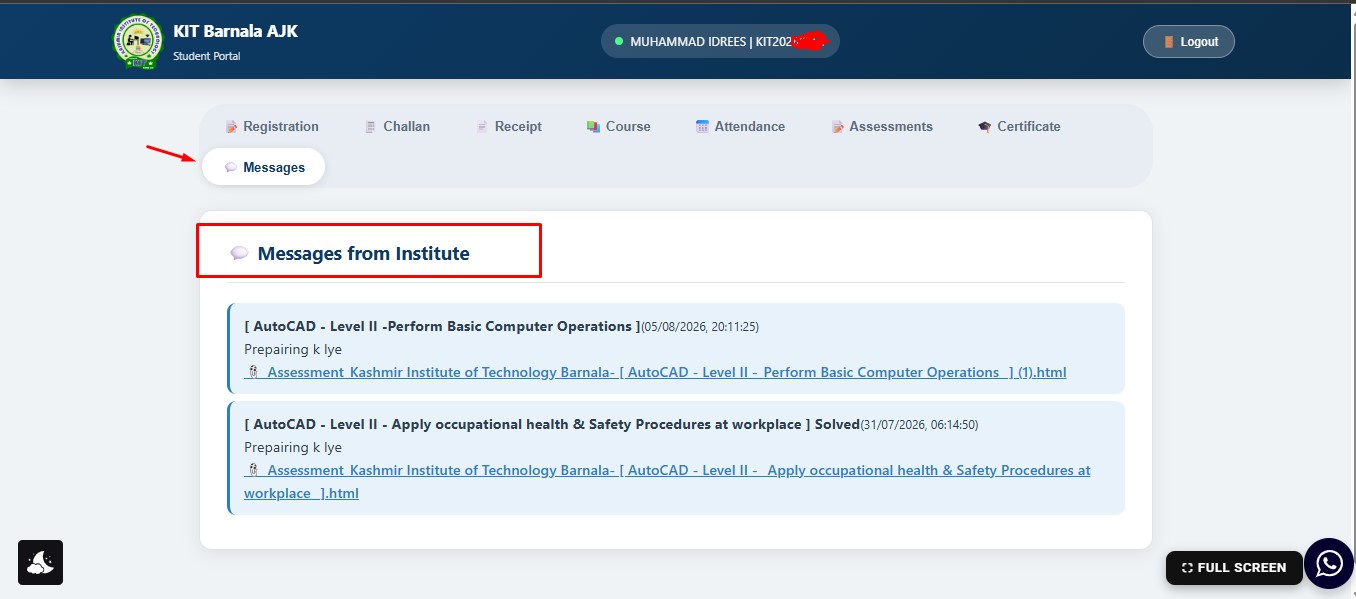
Student Portal FAQs
1. What is the Kashmir IT Barnala Student Portal?
The Kashmir IT Barnala Student Portal is an online learning and student management system where students can register, access their courses, check attendance, view assessments, download certificates, and manage their academic progress from one secure dashboard.
2. How do I register on the Student Portal?
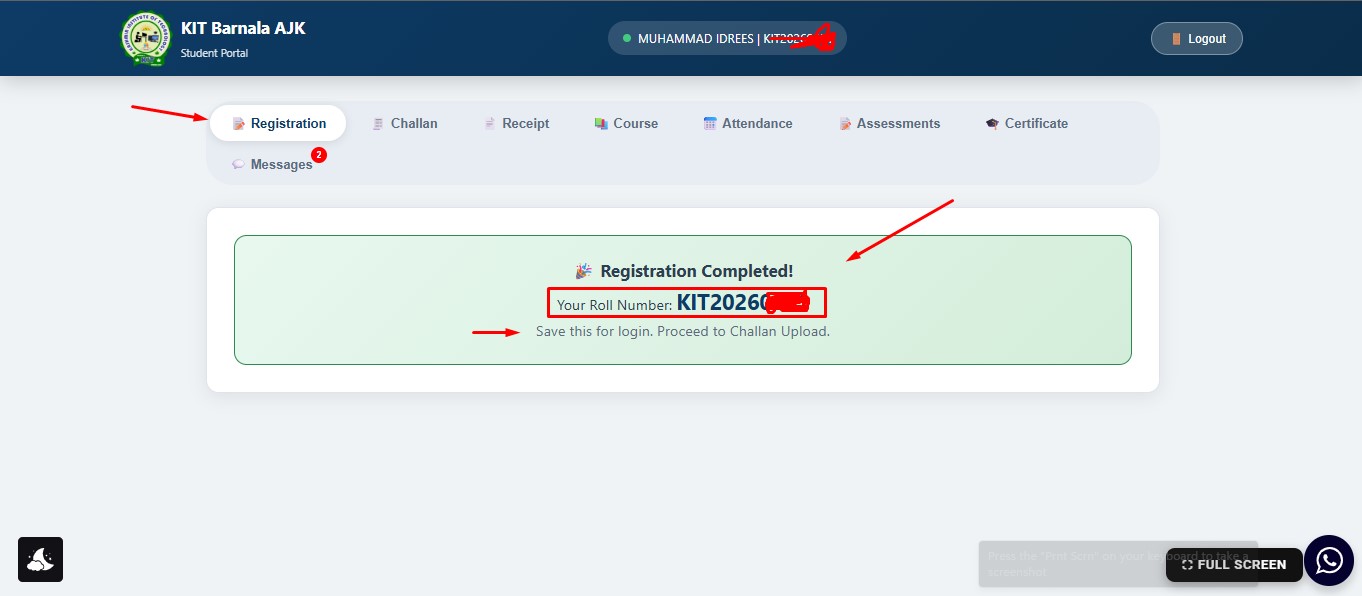
Students can create an account using the online registration form. After successful registration, the system automatically generates a unique Roll Number for each student.
3. Is the Roll Number generated automatically?
Yes. Every student receives a unique Roll Number automatically after completing the online registration process.
4. How can I log in to the Student Portal?
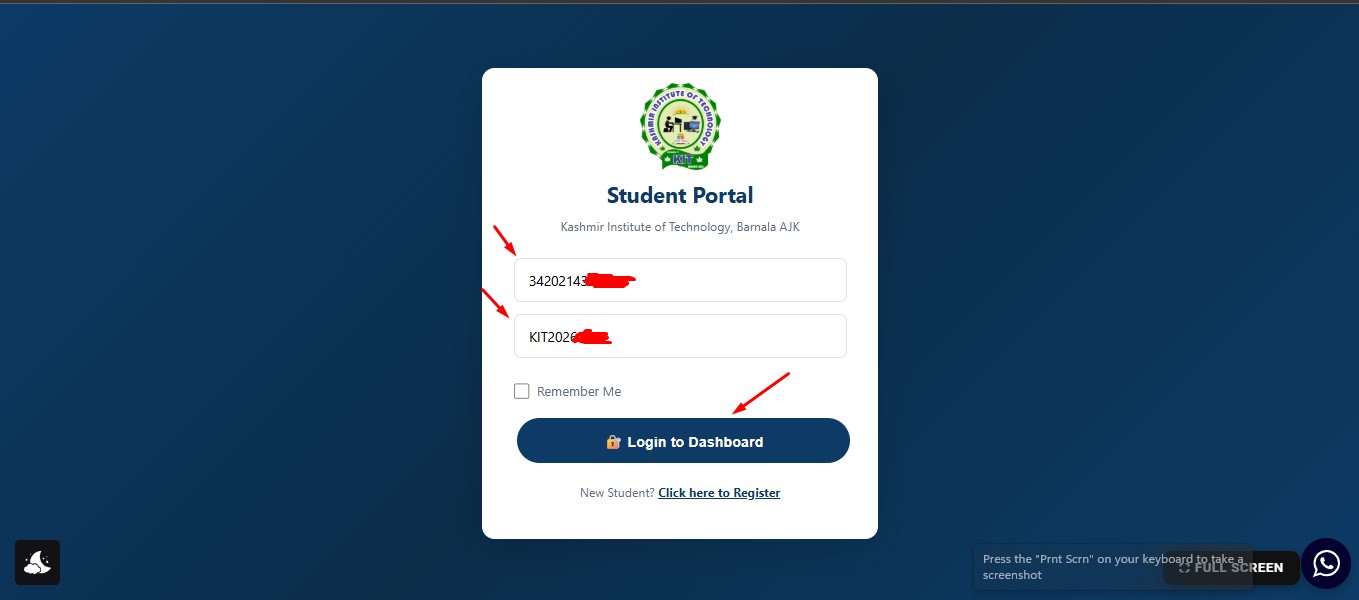
Students can log in using their Roll Number and CNIC after registration.
5. Can I access the Student Portal before fee verification?
Yes. Students can log in after registration, but only limited features are available until the admission fee is verified.
6. When do I get full access to the Student Portal?
Full access is activated only after the institute verifies the uploaded fee challan and approves the admission.
7. How can I pay my admission fee?
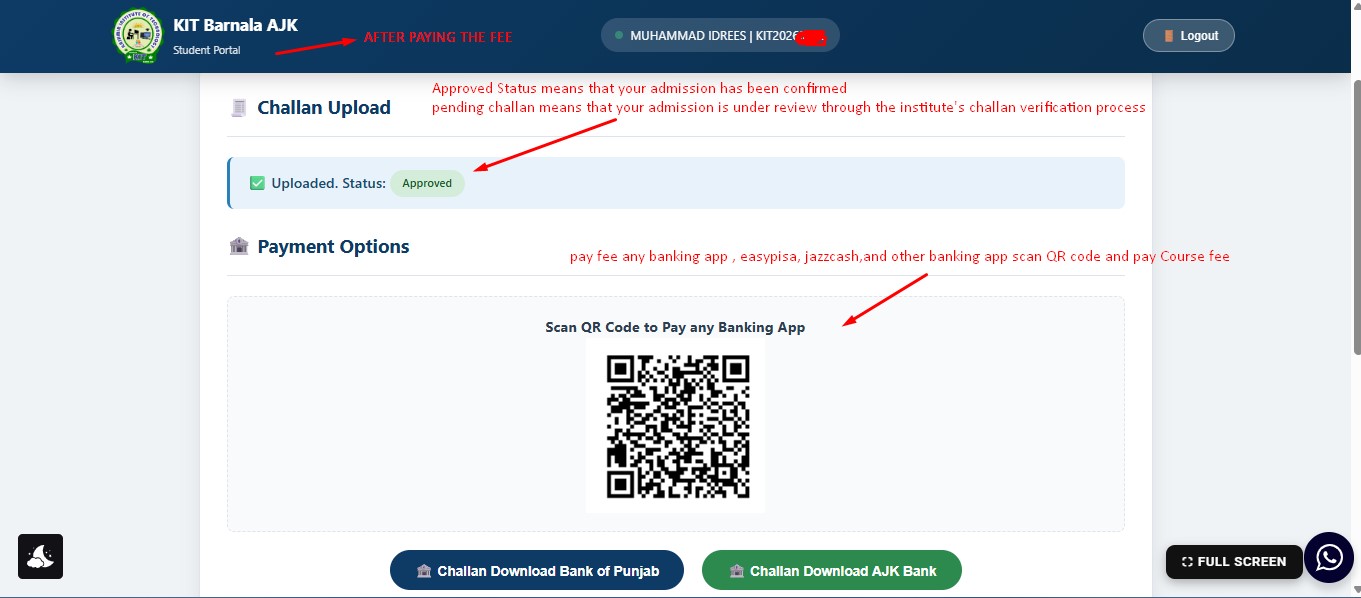
Students can deposit their admission fee through Scan QR Code any Banking App and Second Option Pay Bank of AJK or Bank of Punjab using the official fee challan.
8. What should I do after depositing the fee?
After depositing the fee, students must upload the fee challan/screenshort through the Student Portal for verification.
9. What does the “Pending” status mean?
The Pending status means that your fee challan has been submitted and is waiting for verification by the institute.
10. How is the fee verified?
The institute verifies the uploaded challan and may also confirm the payment details by phone before approving the admission.
11. What happens after my fee is approved?
After successful verification, your admission is approved and all Student Portal features become available.
12. Can I study online?
Yes. Students from any city can attend online classes through the Student Portal.
13. Can I study physically at the institute?
Yes. Students may attend regular classroom sessions at Kashmir Institute Of Technology, Barnala.
14. Can I choose between online and classroom learning?
Yes. Students can choose either physical classes or online learning according to their convenience.
15. Are online classes available for students living outside Barnala?
Yes. Students from Bhimber, Mirpur, Kharian, Gujrat, Jhelum, Samahni, and other areas can study online.
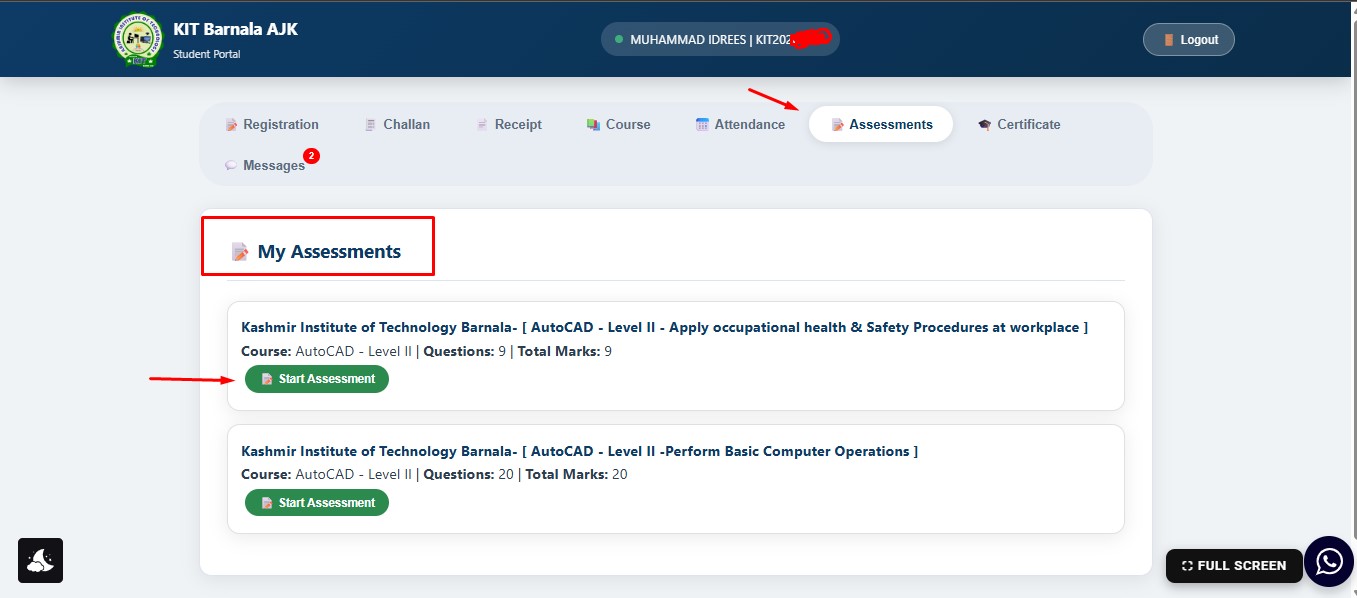
16. Are monthly assessments conducted online?
Yes. Monthly assessments are conducted online through the Student Portal.
17. Can online students take assessments from home?
Yes. Online students can complete their monthly assessments remotely using the Student Portal.
18. Is the final examination online?
No. Currently, all final examinations are conducted physically at the institute. Online final exams are not available.
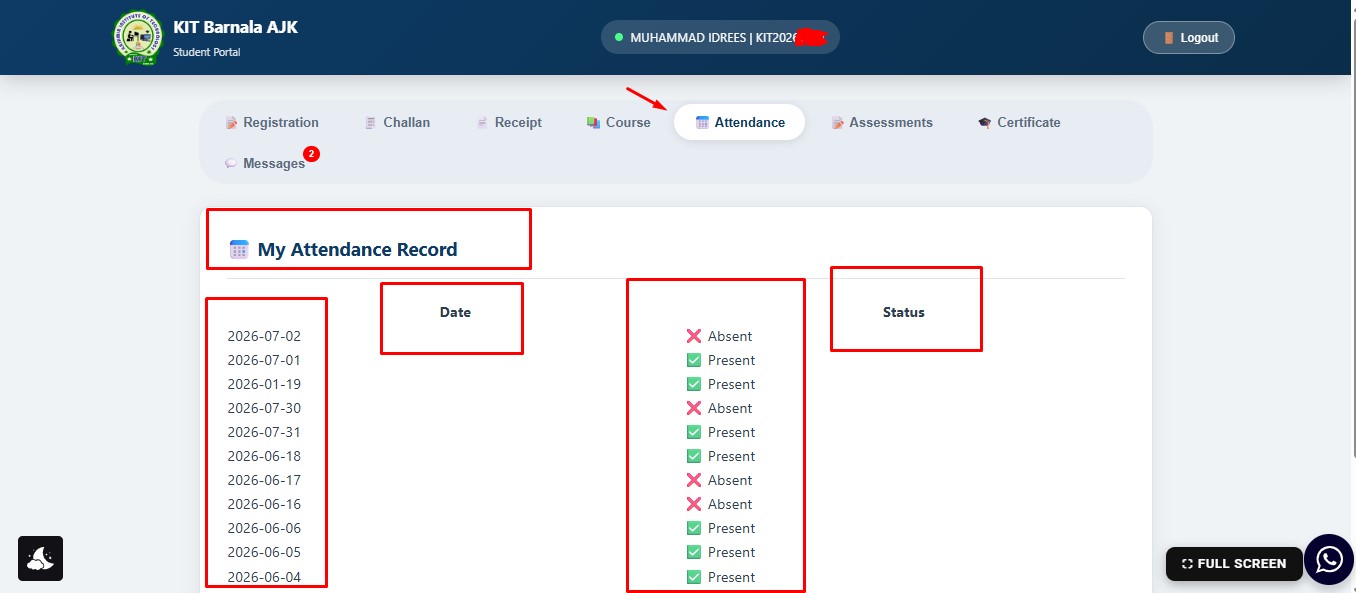
19. Can I check my attendance online?
Yes. Students can view their attendance records anytime through the Student Portal.
20. Can I view my assessment results online?
Yes. Assessment results are published in the Student Portal after evaluation.
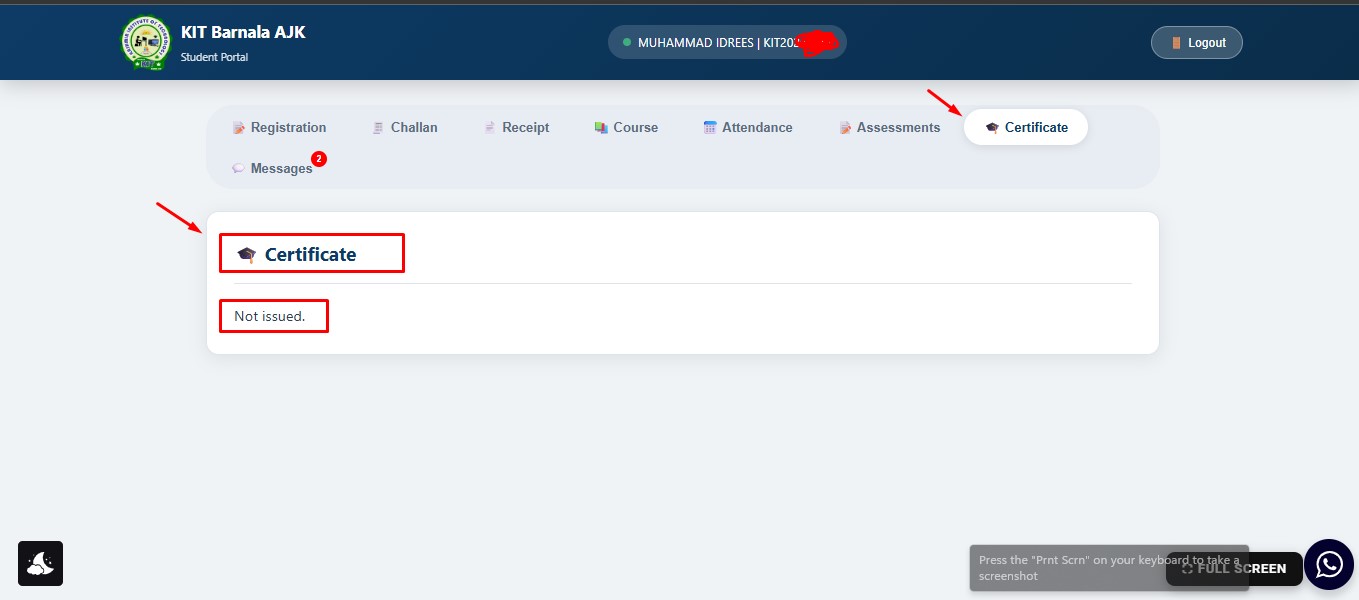
21. Can I download my certificate online?
Yes. Eligible students can access and download their certificates through the Student Portal once all course requirements are completed.
22. Is my personal information secure?
Yes. The Student Portal is designed to protect student information and allows access only through secure login credentials.
23. Can I access the Student Portal on my mobile phone?
Yes. The Student Portal is mobile-friendly and can be accessed from smartphones, tablets, laptops, and desktop computers.
24. Who should I contact if I cannot log in?
Students should contact the institute administration for assistance with login, account recovery, or technical support.
25. What services are available in the Student Portal?
The Student Portal allows students to:
- Register online
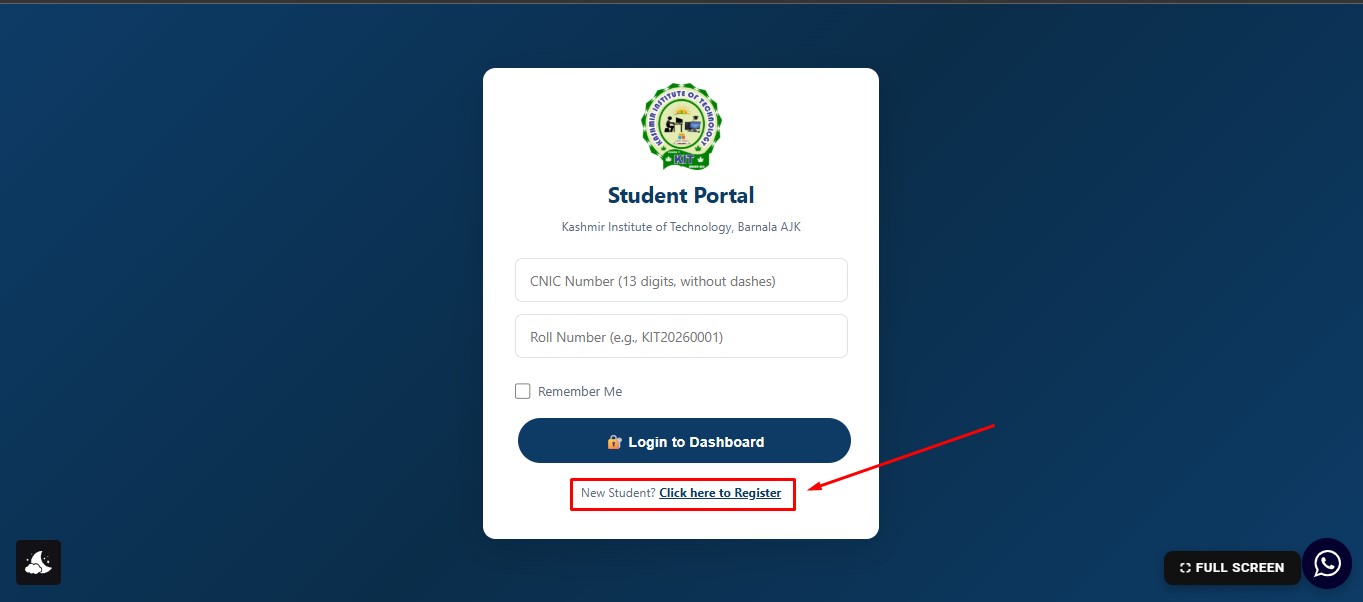
- Fill Registration Fourm and Submit
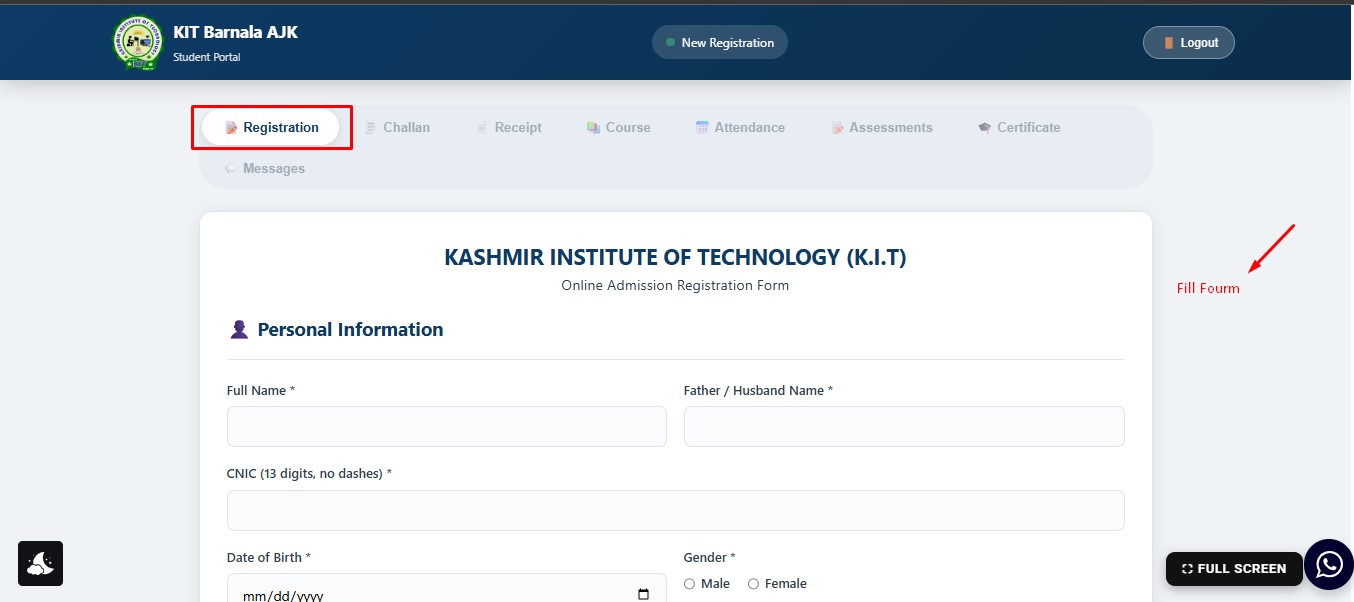
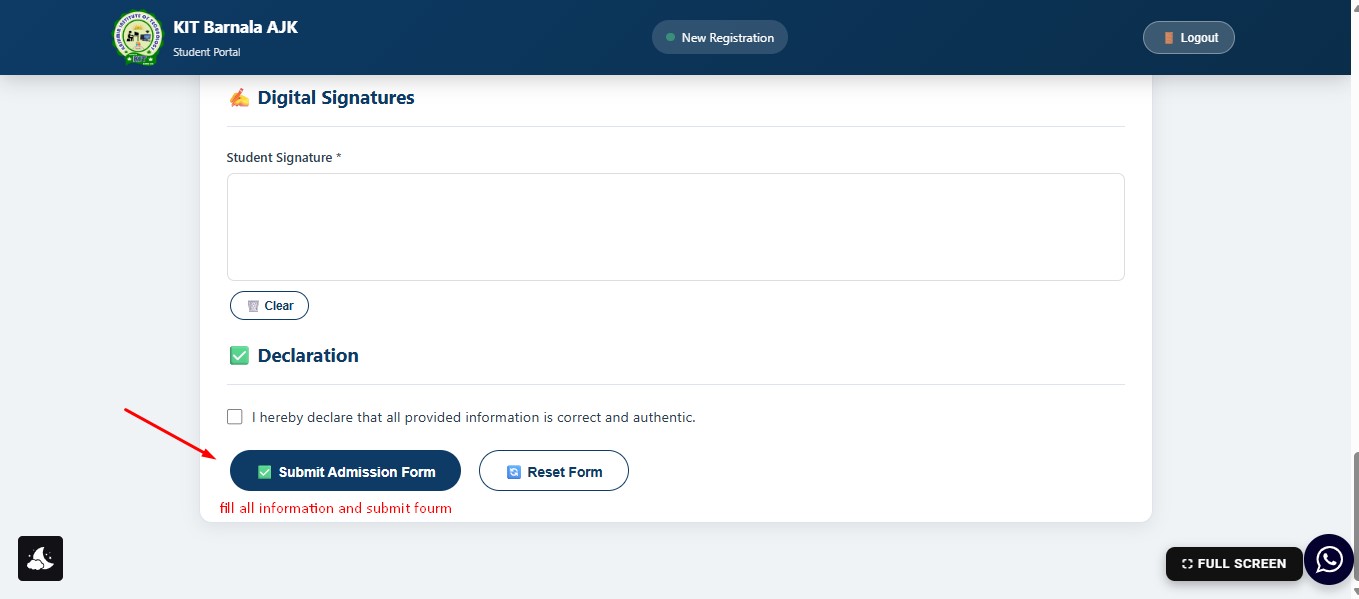
- Receive an automatic Roll Number
- Log in using Roll Number and CNIC
- Upload fee challans
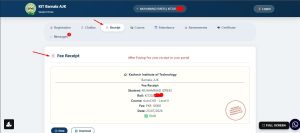
- Receipt download after admisiion confirmed
- Access course materials
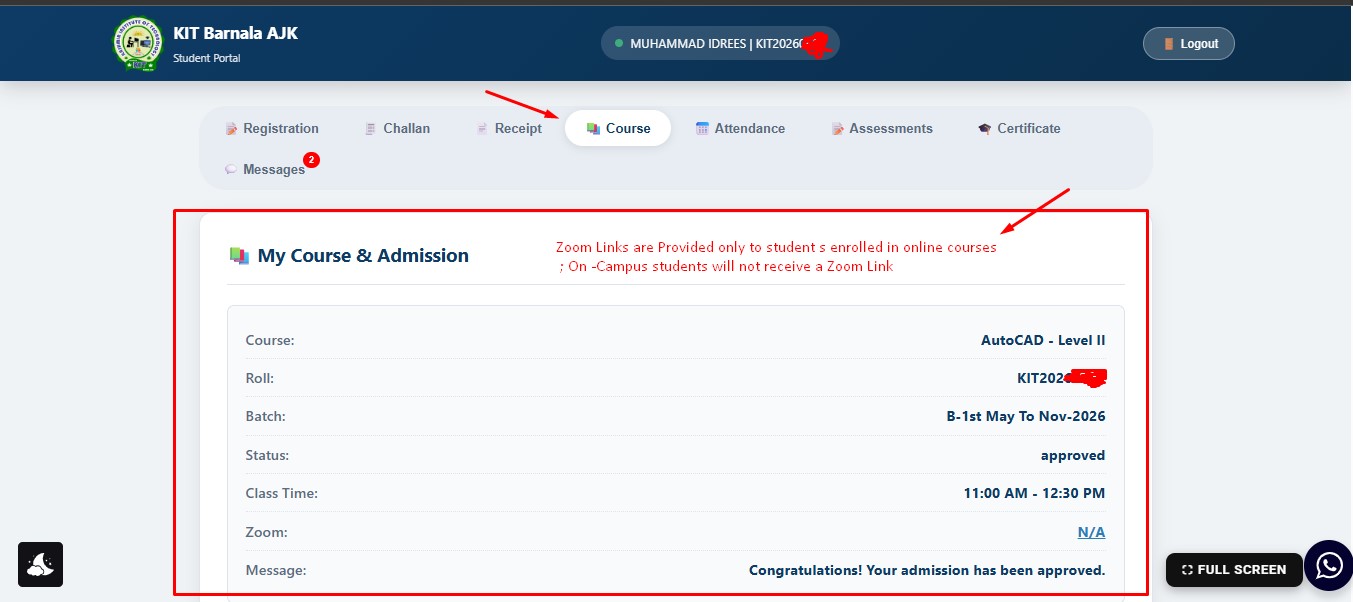
- Attend online classes
- View attendance
- Take monthly online assessments
- Show certificates Status (when eligible)
- Institue Official Messages